
Drilling Pattern for Ikea METOD Doors
Generate cabinet door drawings with drill patterns compatible with IKEA cabinet systems. Customize dimensions, create shop drawings, and export DXF files.
Try the configurator here:
If you're making custom cabinet doors for an IKEA kitchen, getting the hinge drilling positions right is one of the most important parts of the job.
The door itself is usually straightforward to manufacture. The challenge is ensuring that hinge cup holes and mounting positions are located correctly so the door aligns and functions as intended once installed.
This design can be used as a starting point for creating cabinet doors compatible with IKEA METOD cabinets. Open the design in the configurator, adjust the dimensions to suit your project, and generate updated drawings automatically.
Why Drilling Accuracy Matters
Small errors in hinge locations can have a noticeable effect on door alignment and reveal gaps.
When manufacturing replacement doors or custom kitchen fronts, it's often helpful to verify drilling locations before material is cut or CNC programs are created.
By working from a configurable door model, dimensions and drilling information stay synchronized as the design changes.
Designing Custom Doors
Many projects require something slightly different from a standard off-the-shelf door.
You might be:
Replacing damaged doors
Creating custom painted fronts
Manufacturing doors from solid wood
Producing doors on a CNC router
Matching an existing kitchen
Instead of manually updating drawings each time dimensions change, the configurator regenerates the drawings automatically.
Drawings Included
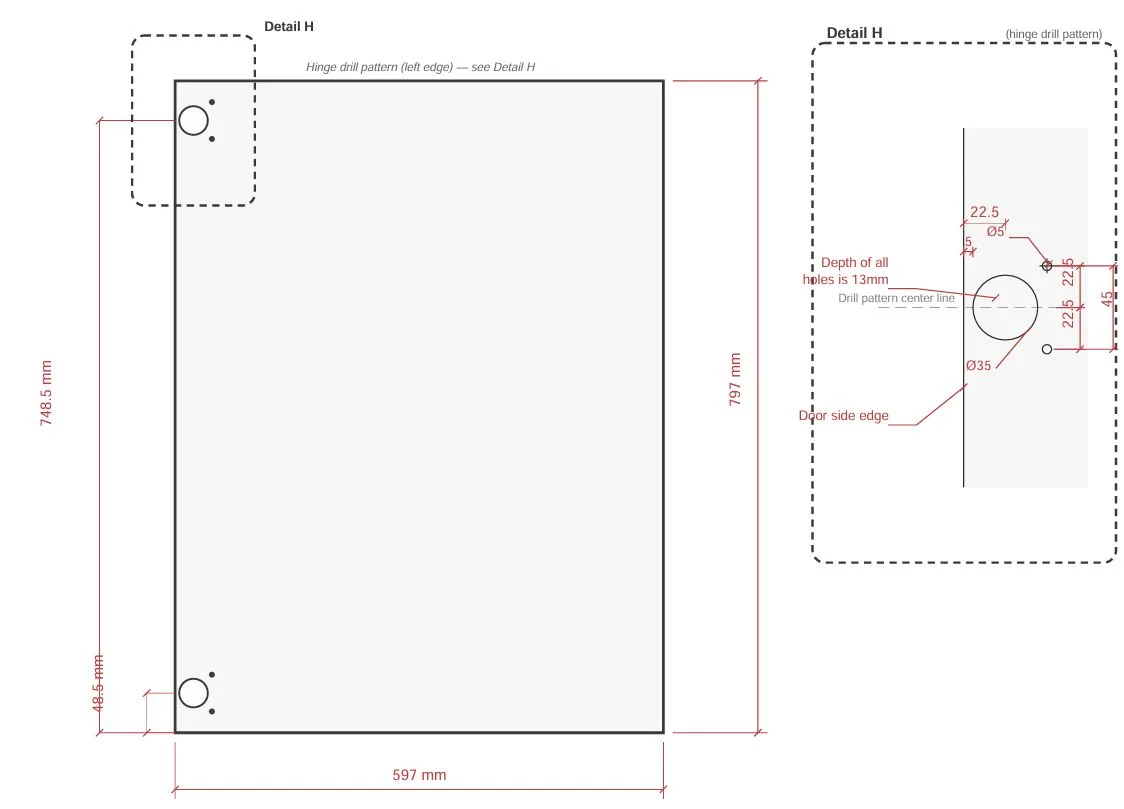
Once the door has been configured, you can generate detailed drawings showing dimensions and drilling information.
These drawings can be used as a workshop reference, shared with customers for approval, or incorporated into a manufacturing workflow.
CNC Manufacturing
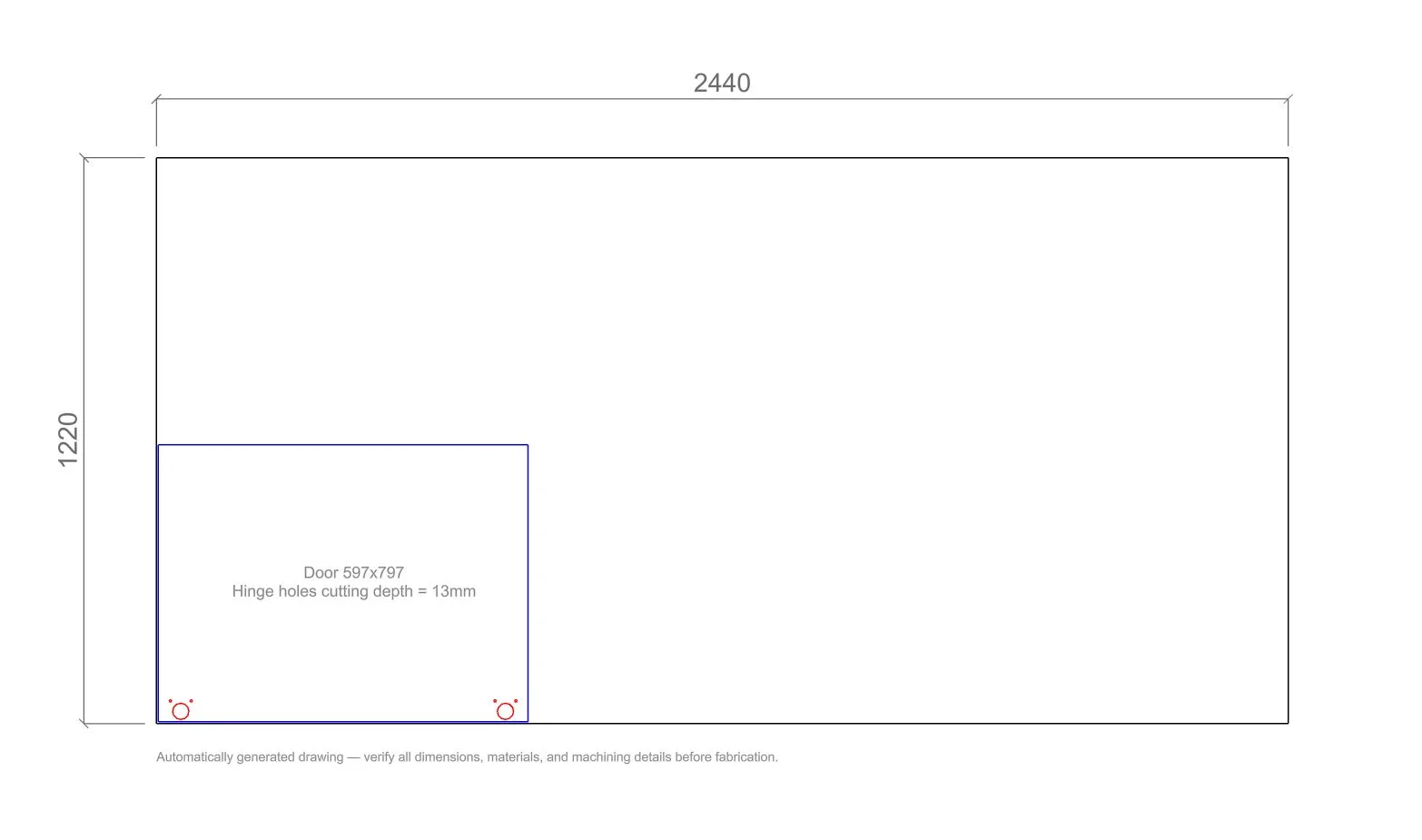
If you're using CNC equipment, DXF export is available.
Configure the door, review the generated drawings, and export the geometry for use in your preferred CAD/CAM workflow.
Start with a Compatible Door Design
Rather than creating everything from scratch, begin with a door designed for compatibility with IKEA METOD cabinets and adapt it to suit your project.
View the design in 3D, adjust dimensions, generate drawings, and export DXF files from a single workflow.
IKEA and METOD are trademarks of Inter IKEA Systems B.V. References are provided solely to indicate compatibility. This website and its designs are not affiliated with, sponsored by, or endorsed by IKEA.