
How Our Online Furniture Configurator Works
Designing and building custom furniture has never been easier. Our browser-based furniture configurator guides you from concept to fabrication in just a few simple steps.
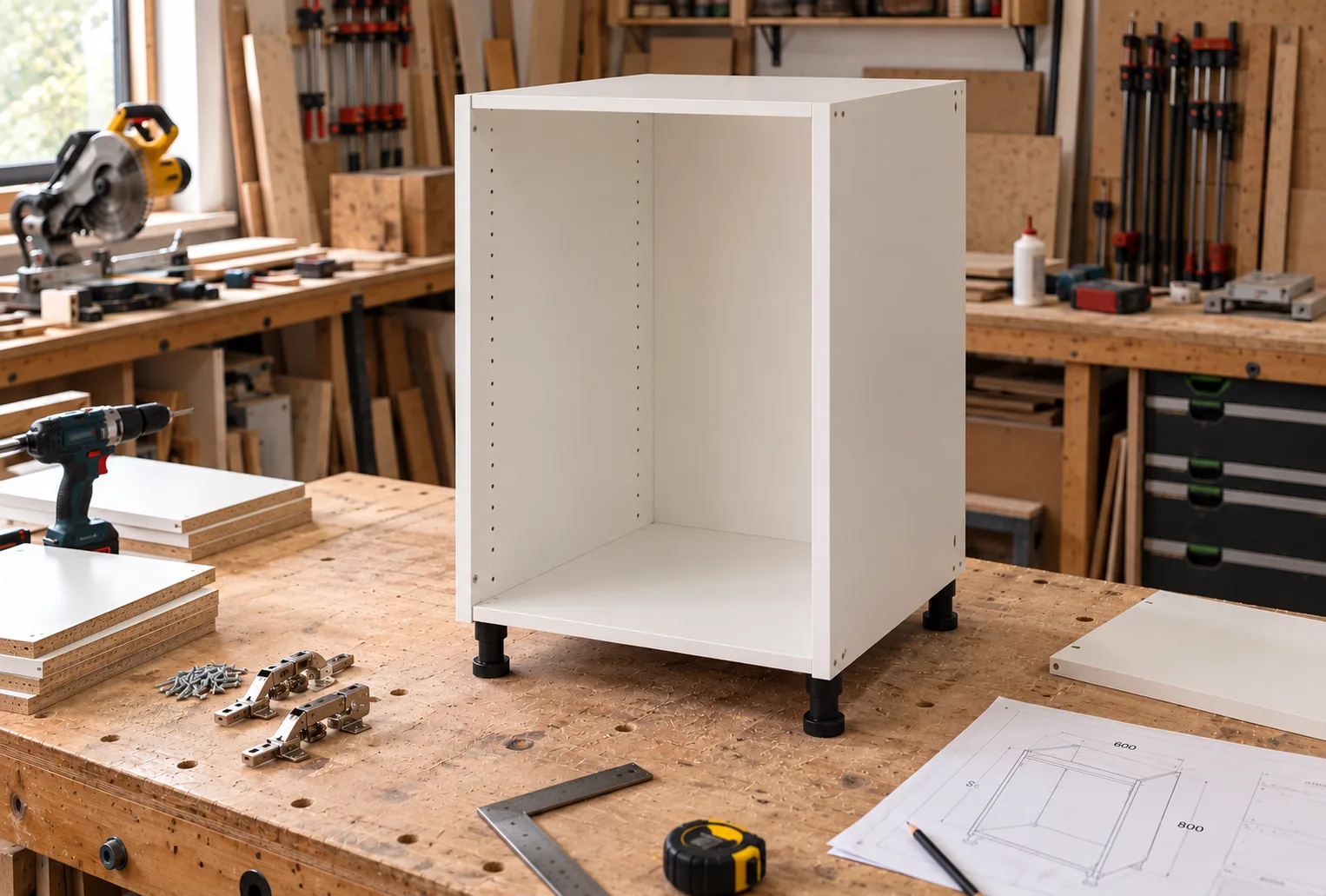
Step 1: Choose furniture type
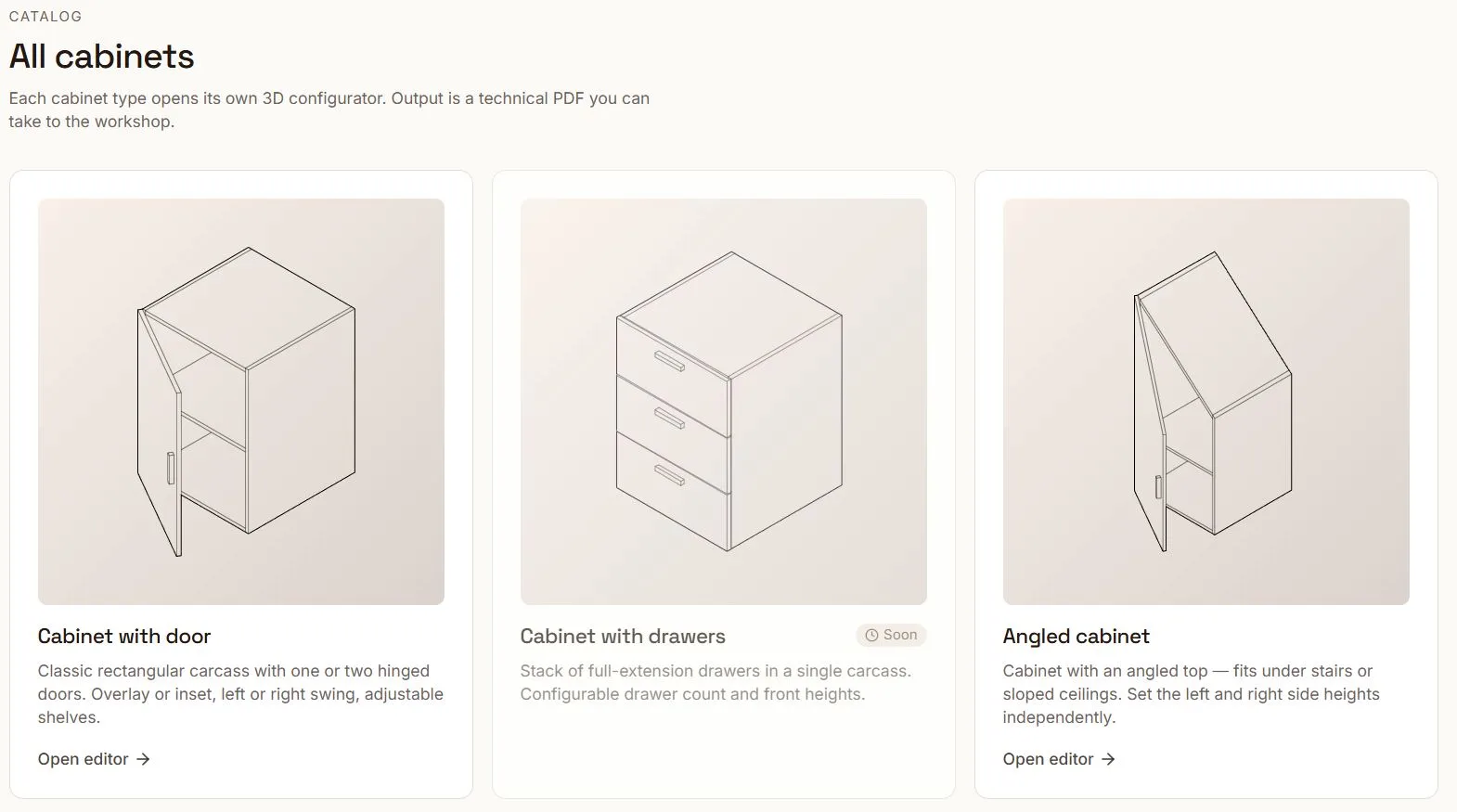
Choose the furniture type that best matches your project:
Base cabinets
Wall cabinets
Doors
Drawers
Shelves
Adjust dimensions, materials, construction options, shelves, drawers, and other features to match your requirements.
Instant 3D visualization allows you to see design changes in real time.
Step 2: Review Your Design in 3D
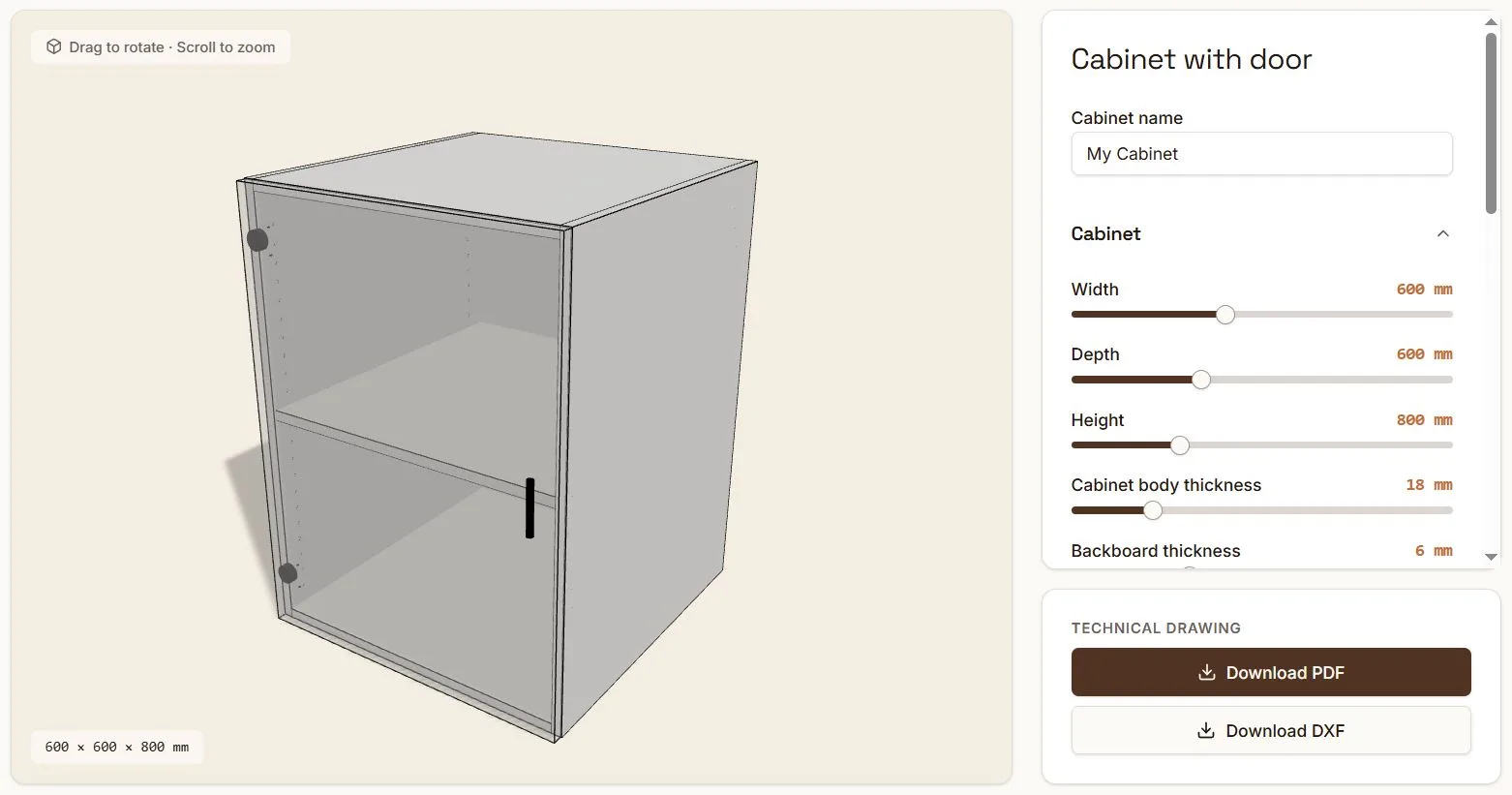
As you modify dimensions and furniture options, the 3D model updates automatically.
Rotate, zoom, and inspect every detail to verify your design before fabrication.
This helps reduce costly mistakes and ensures your furniture is built exactly as intended.
Step 3: Generate Shop Drawings
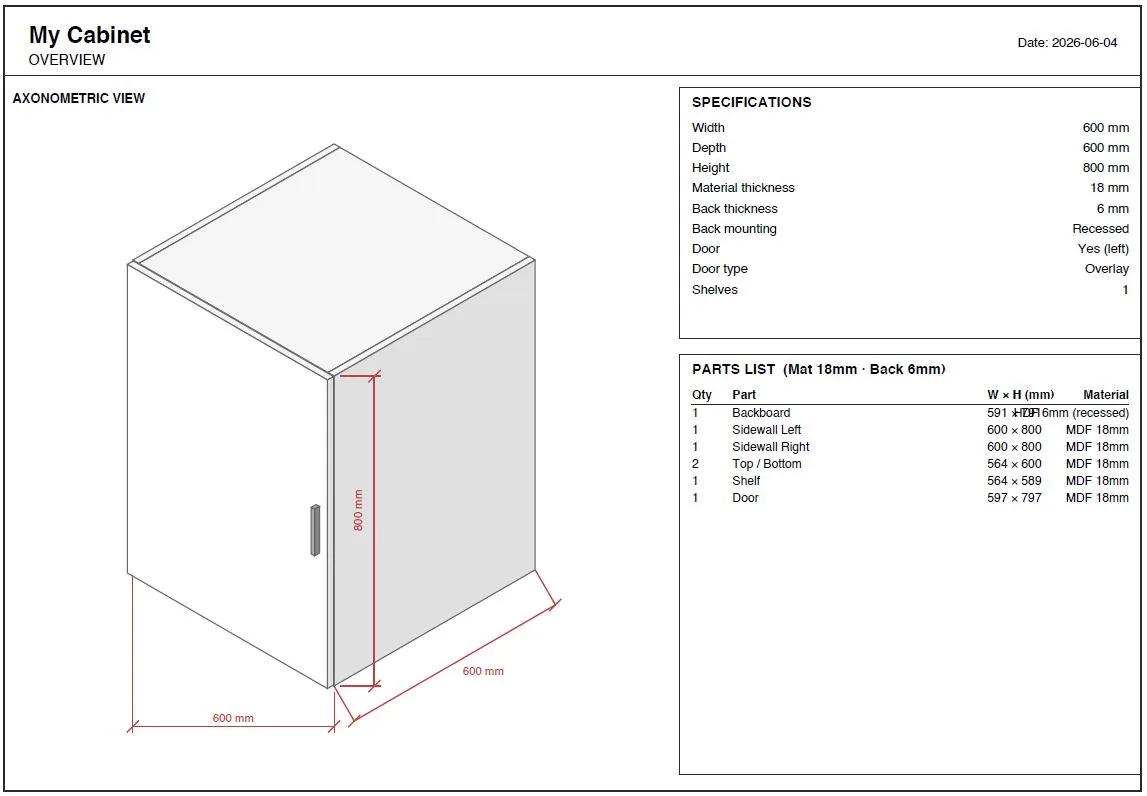
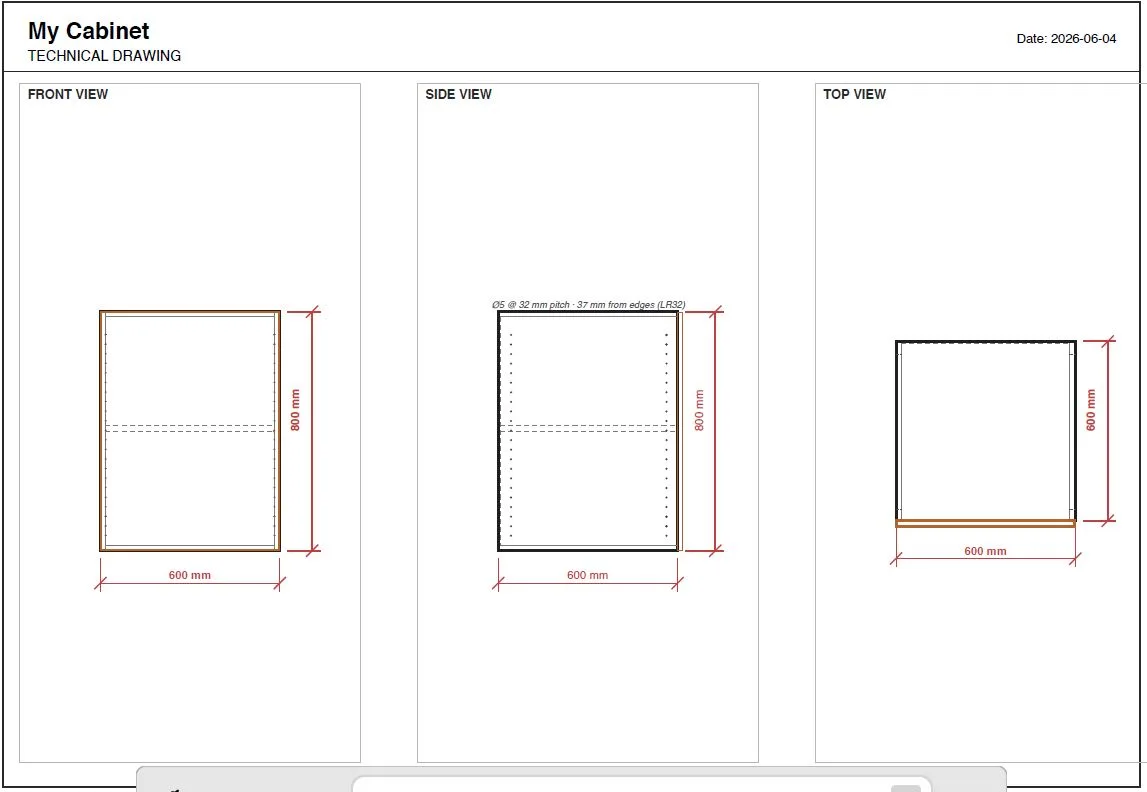
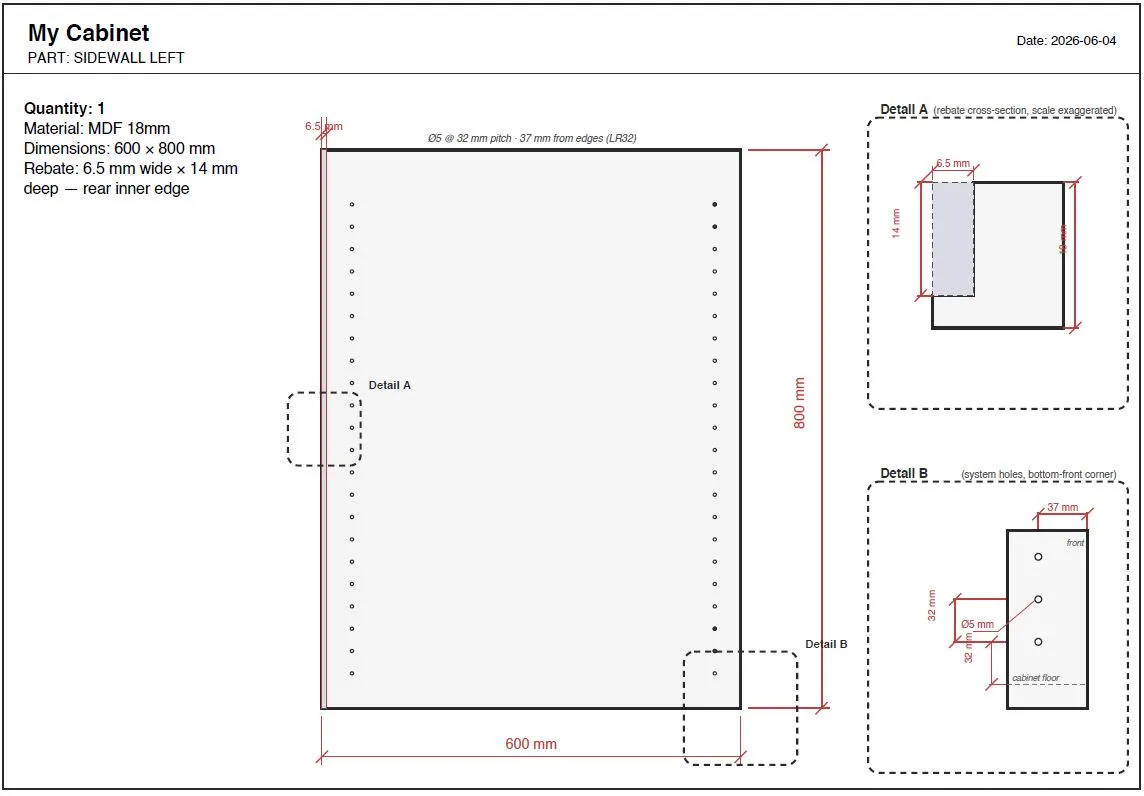
When your design is complete, generate professional shop drawings.
The drawings include:
Furniture dimensions
Panel sizes
Construction details
Assembly information
These plans can be used for workshop fabrication, customer approvals, or project documentation.
Step 4: Download DXF Files for CNC production
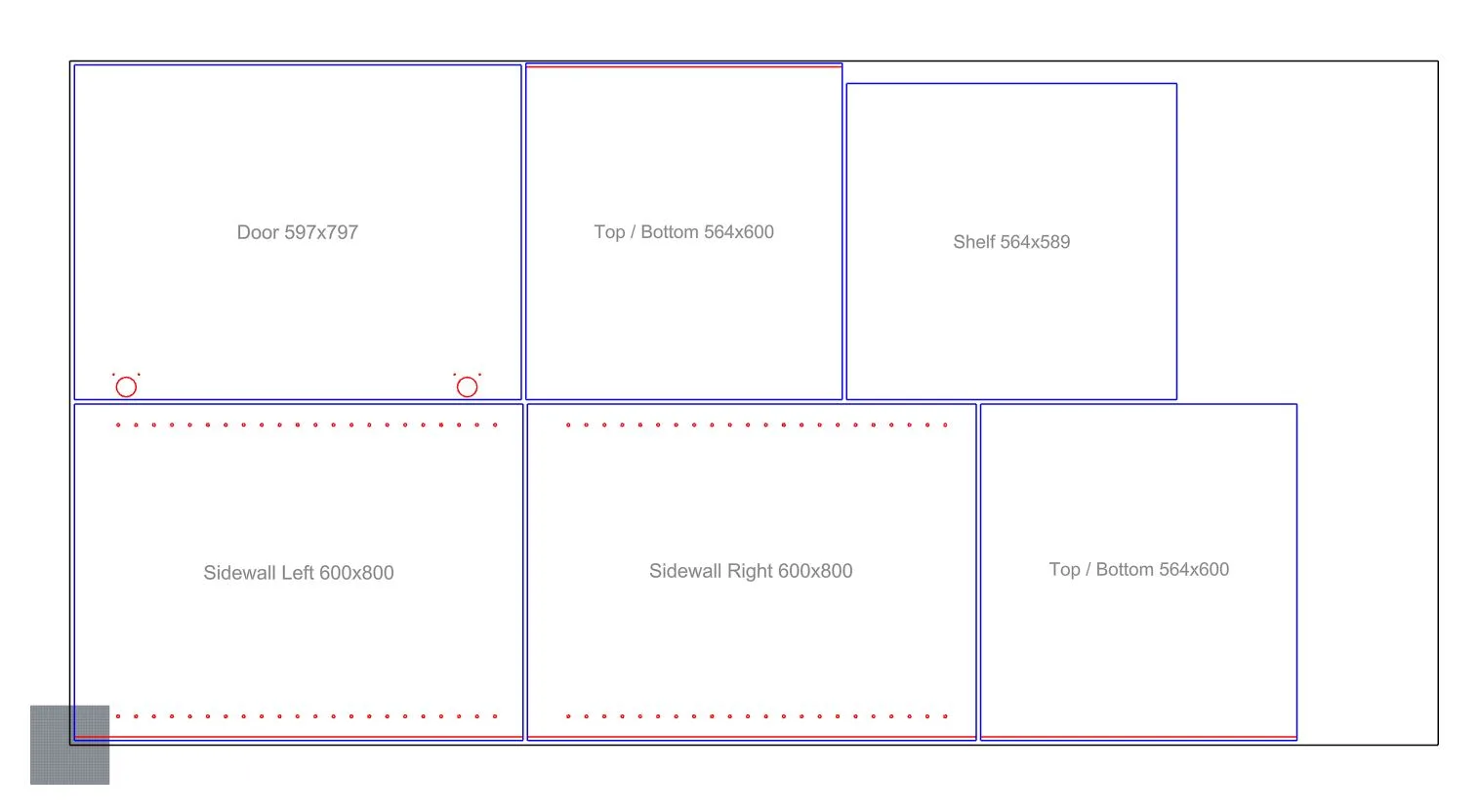
Professional users can generate DXF files for CNC manufacturing.
DXF exports allow the furniture components to be imported into compatible CNC software for:
Nesting
Toolpath generation
CNC routing
Production workflows
This eliminates repetitive manual drafting and accelerates fabrication.
Step 5: Build With Confidence
With detailed shop drawings and CNC-ready outputs, you can move directly from design to production.
Whether you're building a single custom cabinet or producing an entire kitchen, our platform helps simplify the process from concept to completion.
Why Use Our Furniture Design Software?
Browser-based furniture design
No CAD experience required
Real-time 3D visualization
Free furniture shop drawings
CNC-ready DXF exports
Faster design-to-production workflow
Ideal for DIY builders and woodworking professionals
Start designing today and transform your ideas into fabrication-ready cabinet plans in minutes.